TSTECHSHIFTDIGITAL
Home / Excel / Videos

Excel videos

Excel
video tutorials.

Learn Excel through focused demonstrations of formulas, shortcuts and everyday spreadsheet workflows, including Copilot in Excel.

72 videos in this collection.

Copilot Finds & Fix Issues in Excel
Excel

Copilot Finds & Fix Issues in Excel

Use Copilot in Excel to find and fix a hidden spreadsheet issue, even when there are no obvious formula errors. In this practical Excel AI tutorial, we put Microsoft Copilot to the test with a fictional software pricing sheet. The calculations look correct, but a hard-coded support cost may cause problems…

Watch on YouTube ↗
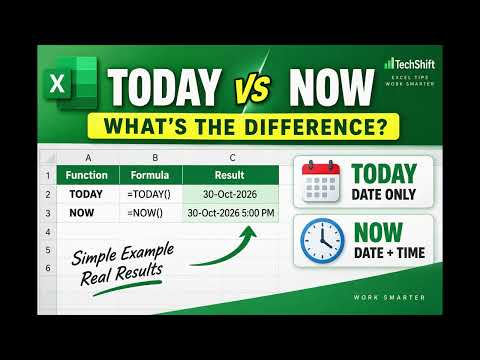
SUBSTITUTE vs REPLACE in Excel: Replace Text the Smart Way
Excel

SUBSTITUTE vs REPLACE in Excel: Replace Text the Smart Way

SUBSTITUTE and REPLACE can both change text in Excel, but they work in completely different ways. In this quick Excel tutorial, you’ll learn:

Watch on YouTube ↗
TODAY vs NOW in Excel: Which One Should You Use?
Excel

TODAY vs NOW in Excel: Which One Should You Use?

TODAY and NOW are two simple Excel functions, but knowing when to use each one can make your deadline and date calculations much smarter. In this quick Excel tutorial, you’ll learn:

Watch on YouTube ↗
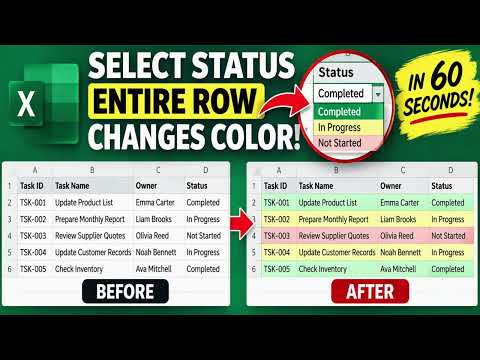
Color the Entire Row! Excel Drop-Down Trick
Excel

Color the Entire Row! Excel Drop-Down Trick

Want to make an entire row change color automatically in Excel? In this quick TechShift tutorial, learn how to highlight entire rows based on a drop-down selection using Conditional Formatting.

Watch on YouTube ↗
Excel Drop-Down Change Colors in 60 Seconds
Excel

Excel Drop-Down Change Colors in 60 Seconds

Make your Excel drop-down cells change color automatically when you select a status. In this TechShift tutorial, we add three Conditional Formatting rules to an existing task-tracker drop-down:

Watch on YouTube ↗
SUBSTITUTE vs REPLACE in Excel: Know the Difference
Excel

SUBSTITUTE vs REPLACE in Excel: Know the Difference

SUBSTITUTE and REPLACE can give the same result in Excel—but they work differently. Learn when to replace matching text and when to replace characters by position. In this TechShift tutorial, we compare both functions side by side using employee codes.

Watch on YouTube ↗
FIND vs SEARCH in Excel: Why You Get Different Results
Excel

FIND vs SEARCH in Excel: Why You Get Different Results

Why does FIND return an error while SEARCH finds the same word? Learn the key difference between these two Excel text functions. In this TechShift tutorial, we compare FIND and SEARCH side by side using report names with different capitalization.

Watch on YouTube ↗
ROUND vs ROUNDUP vs ROUNDDOWN in Excel | Formatting vs Formulas
Excel

ROUND vs ROUNDUP vs ROUNDDOWN in Excel | Formatting vs Formulas

Reducing decimal places in Excel isn’t the same as rounding a number. Learn the difference between decimal formatting and ROUND, ROUNDUP, and ROUNDDOWN. In this TechShift tutorial, we compare five options side by side:

Watch on YouTube ↗
How to handle error in excel | IFERROR | Handle #DIV/0!
Excel

How to handle error in excel | IFERROR | Handle #DIV/0!

Learn how to use IFERROR in Excel to replace formula errors with a useful message, a blank-looking result, or zero. In this TechShift tutorial, we calculate average revenue per unit using a product sales report. When Units Sold is zero, the original calculation produces a #DIV/0! error.

Watch on YouTube ↗
Calendar Days vs Working Days in Excel
Excel

Calendar Days vs Working Days in Excel

Need to calculate working days between two dates in Excel? In this TechShift tutorial, we use a project tracker to compare:

Watch on YouTube ↗
CONCAT vs TEXTJOIN in Excel: Combine Text the Smart Way
Excel

CONCAT vs TEXTJOIN in Excel: Combine Text the Smart Way

Combine names and other text in Excel using CONCAT and TEXTJOIN. Learn how to add separators and avoid unwanted gaps when a middle name is missing. In this TechShift tutorial, we compare two Excel text functions using first, middle, and last names.

Watch on YouTube ↗
3 Excel Functions to Extract Text: LEFT, RIGHT & MID
Excel

3 Excel Functions to Extract Text: LEFT, RIGHT & MID

Extract text from the beginning, middle, and end of a code using Excel’s LEFT, RIGHT, and MID functions. In this TechShift tutorial, we split employee codes such as EMP-001-US into three separate fields without retyping the data.

Watch on YouTube ↗
Replace Only ONE Character in Excel! | Challenge #010
Excel

Replace Only ONE Character in Excel! | Challenge #010

Can you complete this Excel SUBSTITUTE formula? Choose the correct final argument to replace only the second hyphen. In Excel Challenge #010, the employee code is:

Watch on YouTube ↗
Clean Messy Excel Data with TRIM & SUBSTITUTE
Excel

Clean Messy Excel Data with TRIM & SUBSTITUTE

Clean messy Excel text using TRIM and SUBSTITUTE. Remove extra spaces, delete unwanted hyphens, replace separators, and change only a specific occurrence. In this TechShift tutorial, you’ll learn four practical text-cleaning tricks:

Watch on YouTube ↗
3 Excel Functions to Clean Messy Text in Seconds
Excel

3 Excel Functions to Clean Messy Text in Seconds

Messy capitalization can make even good Excel data look unprofessional. In this tutorial, you'll learn three simple Excel text functions that can standardize inconsistent data quickly:

Watch on YouTube ↗
Rank Products Automatically in Excel | RANK.EQ
Excel

Rank Products Automatically in Excel | RANK.EQ

Want Excel to automatically rank every value in your dataset? In this tutorial, we use RANK.EQ to rank 20 products based on Units Sold without sorting or rearranging the original product list.

Watch on YouTube ↗
Find Top 4 & Bottom 4 Values in Excel Automatically
Excel

Find Top 4 & Bottom 4 Values in Excel Automatically

Want to quickly identify the highest and lowest values in an Excel dataset? In this tutorial, we use a product sales report to find the Top 4 and Bottom 4 Units Sold using two simple Excel functions: LARGE and SMALL.

Watch on YouTube ↗
Excel Custom Number Formats: 5 Powerful Tricks
Excel

Excel Custom Number Formats: 5 Powerful Tricks

Excel Custom Number Formats can make reports cleaner and easier to read without changing the actual data. In this tutorial, you'll learn 5 practical Custom Number Format tricks:

Watch on YouTube ↗
6 Excel Calculations Without Writing a Formula
Excel

6 Excel Calculations Without Writing a Formula

Did you know the Excel Status Bar can give you instant calculations without adding formulas to your worksheet? In this quick tutorial, you'll learn how to use the Status Bar to check:

Watch on YouTube ↗
What Happens When You Drag Wednesday? | Excel Challenge #009
Excel

What Happens When You Drag Wednesday? | Excel Challenge #009

Can you predict what Excel will do? In Excel Challenge #009, Monday and Tuesday are used to continue a sequence to Wednesday. But what happens when we select Wednesday alone and drag the Fill Handle down again?

Watch on YouTube ↗
Why Does Format Painter Stay Active? | Excel Challenge #008
Excel

Why Does Format Painter Stay Active? | Excel Challenge #008

Think you know Excel’s Format Painter? In Excel Challenge #008, Format Painter keeps working even after formatting multiple cells. Your challenge is to figure out why it stays active.

Watch on YouTube ↗
Excel Subtotals Explained in 3 Minutes
Excel

Excel Subtotals Explained in 3 Minutes

Most Excel users manually create summary reports using formulas or Pivot Tables. But Excel has a built-in feature that can automatically create department totals, grand totals, and expandable management reports in just a few clicks.

Watch on YouTube ↗
Excel Hide & Unhide Tricks
Excel

Excel Hide & Unhide Tricks

Hidden rows and hidden columns can make Excel worksheets confusing, especially when you receive files from other people. In this video you'll learn:

Watch on YouTube ↗
4 Excel Alignment Features Most Users Ignore
Excel

4 Excel Alignment Features Most Users Ignore

Excel's Alignment settings contain several powerful features that are often overlooked. In this video you'll learn:

Watch on YouTube ↗
One F4 Shortcut, 5 Productivity Tricks
Excel

One F4 Shortcut, 5 Productivity Tricks

Most Excel users only use F4 for absolute references, but this shortcut can do much more. In this video, you'll learn 5 practical uses of the F4 key:

Watch on YouTube ↗
One Excel Tool, 5 Filtering Tricks
Excel

One Excel Tool, 5 Filtering Tricks

Most Excel users only use filters to select a value from a list. But Excel filters can answer many different business questions in seconds.

Watch on YouTube ↗
What Do The Dollar Signs Mean? | Excel Challenge #7
Excel

What Do The Dollar Signs Mean? | Excel Challenge #7

Welcome to Excel Challenge #7! Today's challenge is about one of the most important Excel concepts: cell references.

Watch on YouTube ↗
Excel Challenge #6 | Which Price Will Excel Use?
Excel

Excel Challenge #6 | Which Price Will Excel Use?

Welcome to Excel Challenge #6! Today's challenge looks simple, but the answer depends on understanding Excel cell references.

Watch on YouTube ↗
One Excel Tool, 5 Formatting Tricks
Excel

One Excel Tool, 5 Formatting Tricks

Most Excel users only use Format Painter to copy colors. But this single Excel tool can copy much more than that.

Watch on YouTube ↗
One Excel Feature, 5 Data Cleaning Tricks
Excel

One Excel Feature, 5 Data Cleaning Tricks

Most Excel users only use Find & Replace to change text. In this TechShift tutorial, I'll show you five practical data-cleaning tricks using a single Excel feature.

Watch on YouTube ↗
Excel Challenge #5 | Which Cell Reference Is Wrong?
Excel

Excel Challenge #5 | Which Cell Reference Is Wrong?

Welcome to Excel Challenge #5! Today's challenge tests your Excel formula skills.

Watch on YouTube ↗
Excel Challenge #4 | Find the Duplicate
Excel

Excel Challenge #4 | Find the Duplicate

Welcome to Excel Challenge #4! Today's challenge is simple.

Watch on YouTube ↗
Can You Calculate This Before Excel? | Daily Excel Challenge
Excel

Can You Calculate This Before Excel? | Daily Excel Challenge

Welcome to Excel Challenge #3! Today's challenge is simple... or is it?

Watch on YouTube ↗
Can You Pick the Correct Formula? | Excel Challenge
Excel

Can You Pick the Correct Formula? | Excel Challenge

Welcome to Excel Daily Challenge Today's challenge looks simple, but don't answer too quickly.

Watch on YouTube ↗
Excel Challenge #1 | Spot the Formula Mistake? | Only 10% Get This Excel Challenge Right
Excel

Excel Challenge #1 | Spot the Formula Mistake? | Only 10% Get This Excel Challenge Right

Welcome to Excel Challenge #1! This worksheet contains a formula that looks correct.

Watch on YouTube ↗
3 Excel Paste Special Tricks That Save Hours
Excel

3 Excel Paste Special Tricks That Save Hours

In this TechShift tutorial, I'll demonstrate three powerful Paste Special tricks that can save time and improve productivity. ✅ Paste Values (Keep results, remove formulas)

Watch on YouTube ↗
One Excel Button, 5 Business Answers
Excel

One Excel Button, 5 Business Answers

Most Excel users only use AutoSum for totals. In this TechShift tutorial, I'll show how the same AutoSum button can answer five completely different business questions using a fictional US sales dataset.

Watch on YouTube ↗
5 Calculations from One Button - Excel Trick in 2 Minutes
Excel

5 Calculations from One Button - Excel Trick in 2 Minutes

Most Excel users only know AutoSum for totals. In this TechShift tutorial, I'll show you how the same AutoSum button can calculate:

Watch on YouTube ↗
How to Create an Excel Table and Add New Rows
Excel

How to Create an Excel Table and Add New Rows

Have a plain list of records in Excel? Turn it into an Excel Table and see what happens when you add a new row. In this TechShift tutorial, I use a fictional order list to show how to:

Watch on YouTube ↗
Excel Printing Made Easy: Scaling, Print Area & Repeat Headers
Excel

Excel Printing Made Easy: Scaling, Print Area & Repeat Headers

Does Excel split your report across printed pages, leaving related columns apart? In this TechShift tutorial, I use a fictional 100-order report to demonstrate five print settings:

Watch on YouTube ↗
Excel + AI Working Together | Check Your Formula with Copilot
Excel

Excel + AI Working Together | Check Your Formula with Copilot

An Excel formula can return a number and still answer the wrong question. In this TechShift video, I ask Copilot in Excel to compare a sales question in cell F1 with the formula in F2. Copilot identifies a mismatch in the product criterion, suggests a correction, and I check the result against the…

Watch on YouTube ↗
COUNTIFS in Excel | Count Only What Matches
Excel

COUNTIFS in Excel | Count Only What Matches

Need to know how many records match specific conditions in Excel? In this TechShift tutorial, you'll learn how to use the COUNTIFS function to count records based on one or multiple criteria.

Watch on YouTube ↗
SUMIFS Explained in 2 Minutes
Excel

SUMIFS Explained in 2 Minutes

Need total sales for one region, one department, or a specific product? In this TechShift tutorial, you'll learn how to use the SUMIFS function to calculate totals based on one or multiple conditions.

Watch on YouTube ↗
Stop Calculating Future Dates Manually
Excel

Stop Calculating Future Dates Manually

Need a date exactly 1 month, 6 months, or even 12 months from now? In this TechShift tutorial, you'll learn how to use Excel's EDATE function to move dates forward or backward by months instantly.

Watch on YouTube ↗
XLOOKUP vs VLOOKUP | Why XLOOKUP Is Better
Excel

XLOOKUP vs VLOOKUP | Why XLOOKUP Is Better

Still using VLOOKUP in Excel? In this TechShift tutorial, we compare VLOOKUP and XLOOKUP using a practical employee database.

Watch on YouTube ↗
Find the Last Day of Any Month in Excel
Excel

Find the Last Day of Any Month in Excel

Need the last day of a month in Excel? In this TechShift tutorial, you'll learn how to use the EOMONTH function to calculate month-end dates instantly.

Watch on YouTube ↗
Excel's Hidden Search Tool
Excel

Excel's Hidden Search Tool

Need to find blank cells, formulas, manually entered values, or errors in Excel? In this TechShift tutorial, you'll learn how to use Go To Special, one of Excel's most powerful but overlooked productivity features.

Watch on YouTube ↗
Sort Like a Pro in Excel | 4 Powerful Ways to Sort Data
Excel

Sort Like a Pro in Excel | 4 Powerful Ways to Sort Data

Think Excel sorting is just A to Z? In this TechShift tutorial, you'll learn 4 powerful ways to sort Excel data like a pro.

Watch on YouTube ↗
6 Excel Shortcuts That Save Time Every Day
Excel

6 Excel Shortcuts That Save Time Every Day

Still clicking your way around Excel? In this TechShift tutorial, you'll learn 6 Excel keyboard shortcuts that can save time every single day.

Watch on YouTube ↗
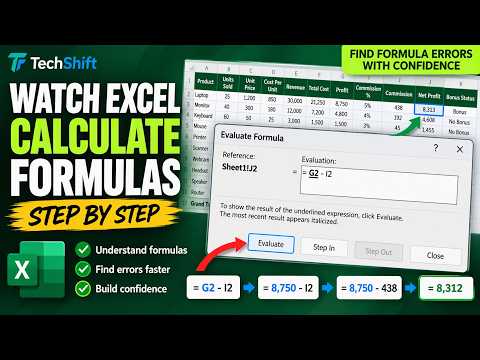
How Excel Calculates Formulas Behind the Scenes
Excel

How Excel Calculates Formulas Behind the Scenes

Ever wondered how Excel arrives at a formula result? In this TechShift tutorial, you'll learn how to use Excel's Evaluate Formula feature to watch calculations happen one step at a time.

Watch on YouTube ↗
Excel Watch Window | Monitor Important Cells Without Scrolling
Excel

Excel Watch Window | Monitor Important Cells Without Scrolling

Tired of scrolling up and down in Excel just to check important totals? Excel's Watch Window lets you monitor important cells in real time, even when those cells aren't visible on screen.

Watch on YouTube ↗
Navigate Between Excel Sheets Fast | Shortcuts & Full Sheet List
Excel

Navigate Between Excel Sheets Fast | Shortcuts & Full Sheet List

Too many worksheet tabs in one Excel workbook? In this TechShift tutorial, I show three ways to find the sheet you need. Using a fictional sales workbook with an Overview, monthly sales sheets, and an Annual Summary, you’ll see how to:

Watch on YouTube ↗
Trace Any Formula in Excel | Trace Precedents & Dependents Explained
Excel

Trace Any Formula in Excel | Trace Precedents & Dependents Explained

Ever wondered where an Excel formula gets its values from? Or what will break if you change a particular cell? In this TechShift tutorial, you'll learn Excel's built-in Formula Auditing tools:

Watch on YouTube ↗
Center a Title in Excel Without Merging Cells
Excel

Center a Title in Excel Without Merging Cells

Want a centered Excel report title without merging cells? Center Across Selection gives the heading a similar look while keeping the cells separate. In this TechShift tutorial, I use a fictional Sales Report to compare Merge & Center with Center Across Selection. You’ll see how to format the title across…

Watch on YouTube ↗
Forecast Future Sales in Excel | Forecast Sheet Tutorial
Excel

Forecast Future Sales in Excel | Forecast Sheet Tutorial

Can Excel use past monthly sales to show a possible future trend? In this TechShift tutorial, we use Forecast Sheet to create a sales projection through December 2026. Using fictional monthly data from September 2024 to August 2026, you’ll see how to select the data, create a forecast chart and table, and…

Watch on YouTube ↗
Ask Excel Questions About Your Data | Analyze Data Tutorial
Excel

Ask Excel Questions About Your Data | Analyze Data Tutorial

Which region generated the most sales? In this TechShift tutorial, I use Excel’s Analyze Data feature to explore a fictional sales worksheet without starting with a formula or building a PivotTable manually. You’ll see how to:

Watch on YouTube ↗
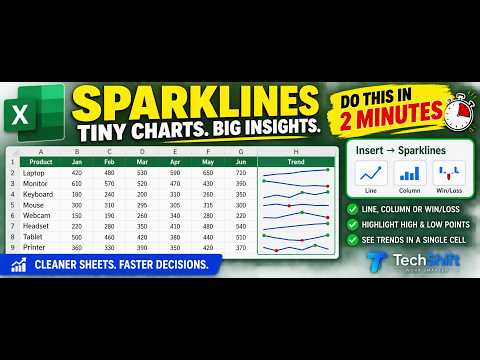
Turn Numbers into Tiny Charts - Excel Sparklines
Excel

Turn Numbers into Tiny Charts - Excel Sparklines

Want to see sales trends without creating a separate chart? Excel Sparklines put a tiny chart inside a worksheet cell. In this TechShift tutorial, we use fictional January-to-June sales data to:

Watch on YouTube ↗
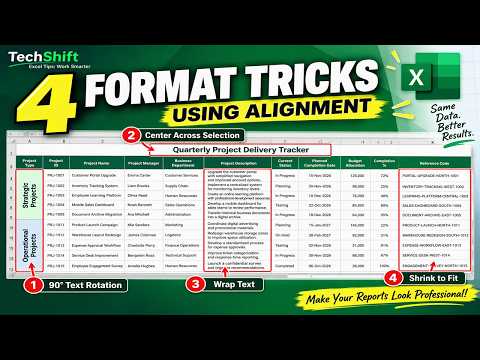
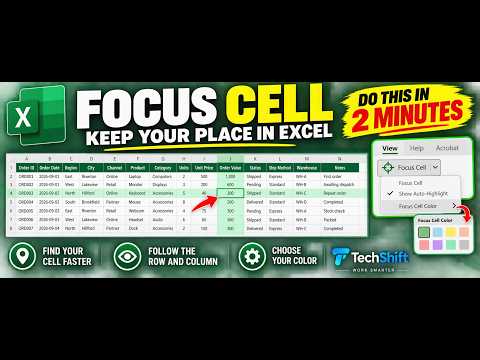
Focus Cell in Excel in 2 Minutes
Excel

Focus Cell in Excel in 2 Minutes

Lose track of your row while reading across a wide Excel sheet? Focus Cell makes the active cell easier to follow. In this quick TechShift tutorial, I use a fictional order list to show how to turn Focus Cell on, move between cells, choose a highlight color, and turn it off again.

Watch on YouTube ↗
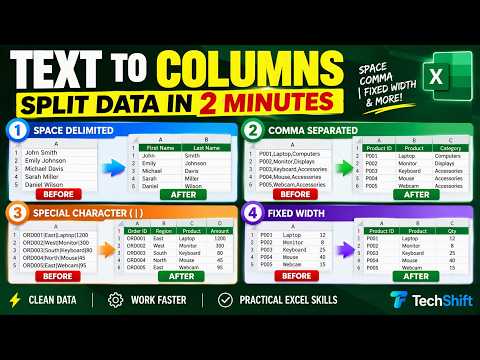
Excel Text to Columns: 4 Ways to Split Data
Excel

Excel Text to Columns: 4 Ways to Split Data

Got multiple pieces of data stuck in one Excel column? Learn four ways to split them with Text to Columns. In this TechShift tutorial, we use fictional sample data to demonstrate:

Watch on YouTube ↗
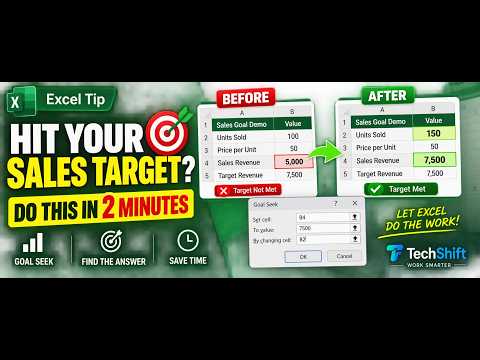
Hit Your Sales Target in 2 Minutes | Excel Goal Seek
Excel

Hit Your Sales Target in 2 Minutes | Excel Goal Seek

How many units do you need to sell to hit a sales target? In this quick Excel Goal Seek tutorial, we work backward from a target of 7,500 to find the answer.

Watch on YouTube ↗
In 6 Minutes - How to Create an Interactive Sales Chart in Excel | PivotChart + Slicer
Excel

In 6 Minutes - How to Create an Interactive Sales Chart in Excel | PivotChart + Slicer

Create an interactive sales chart in Excel using a PivotChart and a Region slicer. See sales by product, then select East, West, South, or North to change the view. In this TechShift tutorial, we use fictional sample sales data to:

Watch on YouTube ↗
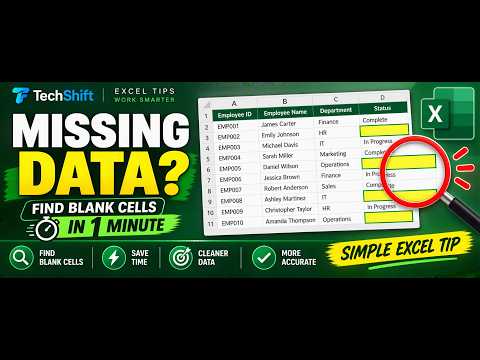
Find Blank Cells in Excel in 1 Minute
Excel

Find Blank Cells in Excel in 1 Minute

Missing entries in your Excel list? Find every blank Status cell without checking rows one by one. This quick tutorial uses Go To Special → Blanks to select and highlight missing data.

Watch on YouTube ↗
2 Minutes - Compare Two Excel Lists and Find Missing Records
Excel

2 Minutes - Compare Two Excel Lists and Find Missing Records

Learn how to compare two Excel lists and quickly identify missing and newly added records. In this TechShift Excel tutorial, we compare a Master Employee List with a Latest Employee List using COUNTIF and IF.

Watch on YouTube ↗
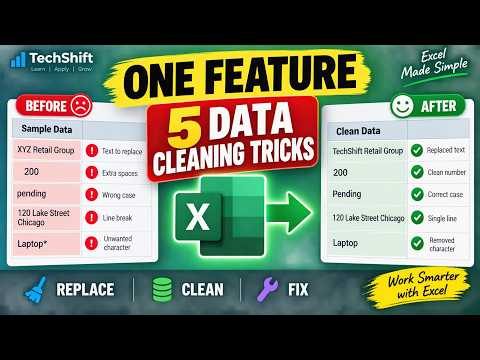
Create Automatic Expiry Date Alerts in Excel with Conditional Formatting
Excel

Create Automatic Expiry Date Alerts in Excel with Conditional Formatting

Learn how to create automatic expiry-date alerts in Excel using formulas and Conditional Formatting. In this TechShift tutorial, we create a red, amber, and green alert system for warranties, licenses, contracts, certificates, subscriptions, and other time-sensitive records.

Watch on YouTube ↗
Copilot Agent Mode in Word, Excel and PowerPoint — What Actually Changed
Excel

Copilot Agent Mode in Word, Excel and PowerPoint — What Actually Changed

Copilot used to sit in a side panel and suggest. Now it edits the file itself. Here's what Agent Mode does in Word, Excel and PowerPoint — and what you now have to check before anything leaves your desk. Microsoft made Copilot's agentic capabilities in Word, Excel and PowerPoint generally available in…

Watch on YouTube ↗
Create a Drop-Down List in Excel in 60 Seconds
Excel

Create a Drop-Down List in Excel in 60 Seconds

Tired of typing the same values repeatedly in Excel? In this quick Excel tutorial, learn how to create a drop-down list using Data Validation. This simple feature improves data accuracy, speeds up data entry, and keeps your spreadsheets consistent.

Watch on YouTube ↗
How to Freeze Rows and Columns in Excel
Excel

How to Freeze Rows and Columns in Excel

Keep important Excel rows, headings, and columns visible while scrolling with Freeze Panes. In this TechShift Excel tutorial, we use an Employee Asset Report to demonstrate how to freeze the top row, freeze the first column, freeze a row and column together, freeze multiple rows and columns, and unfreeze…

Watch on YouTube ↗
Turn Excel Filters On in One Second
Excel

Turn Excel Filters On in One Second

Filter Excel data instantly with one keyboard shortcut: Ctrl + Shift + L. In this short TechShift Excel tutorial, you will learn how to turn Excel filters on and off, filter a table by department and status, and clear the filters when you are finished.

Watch on YouTube ↗
Excel’s Magic Shortcut: 5 Flash Fill Tricks with Ctrl + E
Excel

Excel’s Magic Shortcut: 5 Flash Fill Tricks with Ctrl + E

Discover five Excel Flash Fill tricks using the Ctrl + E keyboard shortcut. In this short TechShift Excel tutorial, you will learn how Excel can recognize a pattern and automatically complete repetitive data-cleaning tasks without writing formulas.

Watch on YouTube ↗
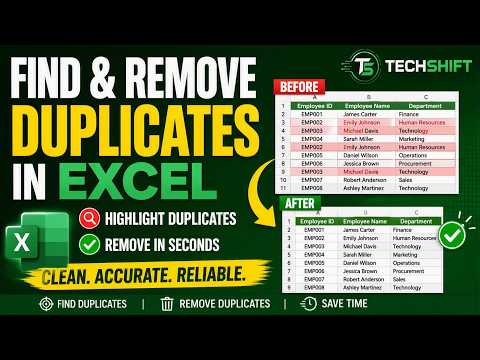
Find and Remove Duplicates in Excel in 3 Minutes
Excel

Find and Remove Duplicates in Excel in 3 Minutes

Learn how to find, highlight, and remove duplicate values in Excel in just a few simple steps. In this TechShift Excel Tips tutorial, we use a sample employee list to demonstrate how to:

Watch on YouTube ↗
XLOOKUP in Excel in 3 Minutes | Stop Searching Manually!
Excel

XLOOKUP in Excel in 3 Minutes | Stop Searching Manually!

Learn how to use XLOOKUP in Excel to find employee, product, asset, or inventory information instantly. In this short TechShift Excel Tips tutorial, we use an Employee ID to automatically return the matching employee name, department, and laptop serial number.

Watch on YouTube ↗
4 Excel Tricks to Save Time | AutoFill, F4, Absolute Reference & AutoSum
Excel

4 Excel Tricks to Save Time | AutoFill, F4, Absolute Reference & AutoSum

Learn four practical Excel techniques that can save time and reduce repetitive work. In this TechShift Excel Tips tutorial, we use a simple product-price worksheet to demonstrate how to:

Watch on YouTube ↗