
AI, Copilot & Technology
Which AI Certification Should You Take? A Career-Based Guide
Which AI certification should you take in 2026? The answer depends on the career you actually want.
Watch on YouTube ↗Video library
Explore the full public video library in two collections: AI, Copilot & Technology, and Excel. Search by title or description, or select a category.
Which AI certification should you take in 2026? The answer depends on the career you actually want.
Watch on YouTube ↗
Use Copilot in Excel to find and fix a hidden spreadsheet issue, even when there are no obvious formula errors. In this practical Excel AI tutorial, we put Microsoft Copilot to the test with a fictional software pricing sheet. The calculations look correct, but a hard-coded support cost may cause problems…
Watch on YouTube ↗
SUBSTITUTE and REPLACE can both change text in Excel, but they work in completely different ways. In this quick Excel tutorial, you’ll learn:
Watch on YouTube ↗
SpaceX disclosed roughly $40 billion of financing for GPUs and related AI data center equipment. But Elon Musk's bigger message was about the rest of the market: he predicted major failure and consolidation among more than 200 neocloud providers as debt markets become more selective. This TechShift video…
Watch on YouTube ↗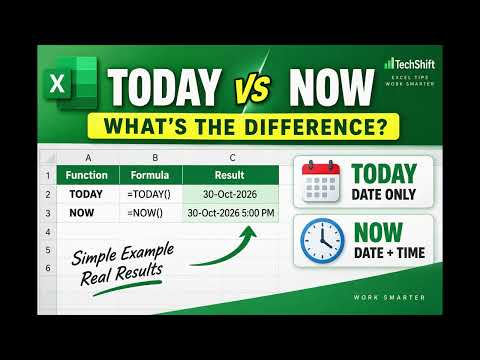
TODAY and NOW are two simple Excel functions, but knowing when to use each one can make your deadline and date calculations much smarter. In this quick Excel tutorial, you’ll learn:
Watch on YouTube ↗
AI does not need to become conscious or send robots into the streets to gain influence. A quieter change is already more important: organizations can increasingly depend on AI-assisted systems for decisions involving finance, hiring, insurance, security and everyday business processes. Inspired by Yuval…
Watch on YouTube ↗
Claude has built a powerful reputation for serious writing, reasoning and coding, but does that make it the best AI for every intellectual task? In this TechShift video, we compare Claude, ChatGPT and Gemini using a practical framework: identical inputs, fresh sessions, and task-based evaluation. You will…
Watch on YouTube ↗
AI can write a polished memo in seconds. But what happens when the person sharing it has not fully read, checked, or understood it? The expression AI;DR, meaning “AI, didn't read,” has become shorthand for frustration with machine-written content that seems unreviewed. Recent discussions connect it to…
Watch on YouTube ↗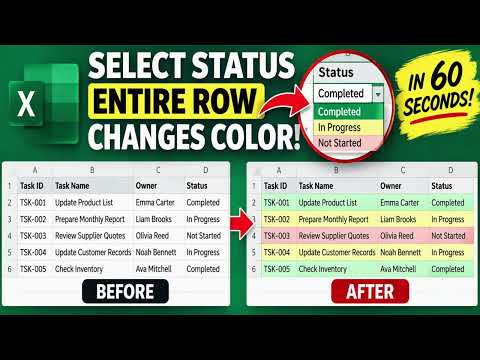
Want to make an entire row change color automatically in Excel? In this quick TechShift tutorial, learn how to highlight entire rows based on a drop-down selection using Conditional Formatting.
Watch on YouTube ↗
How are leading militaries adopting artificial intelligence? This TechShift video covers the ten highest-ranked countries in Global Firepower's conventional military-strength index explaining publicly documented defence AI initiatives one country at a time. Countries covered, in that published order:
Watch on YouTube ↗
A viral sign claimed that a San Francisco gym banned vibe coding between workout sets. Fitness SF said the sign was fake. So why did it spread so widely? In this TechShift video, we explain:
Watch on YouTube ↗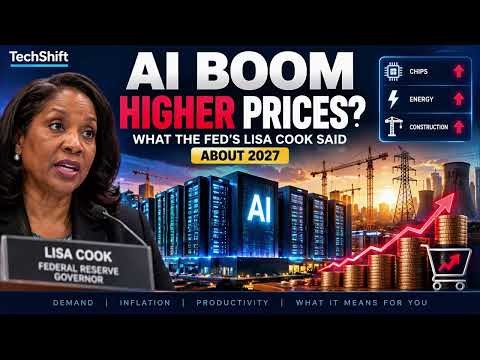
Could the AI boom make things more expensive before it makes the economy more productive? Federal Reserve Governor Lisa Cook has highlighted potential inflationary pressure from the massive AI infrastructure buildout as an important risk for 2027.
Watch on YouTube ↗
Make your Excel drop-down cells change color automatically when you select a status. In this TechShift tutorial, we add three Conditional Formatting rules to an existing task-tracker drop-down:
Watch on YouTube ↗
SUBSTITUTE and REPLACE can give the same result in Excel—but they work differently. Learn when to replace matching text and when to replace characters by position. In this TechShift tutorial, we compare both functions side by side using employee codes.
Watch on YouTube ↗
Your laptop has plenty of free storage, but it still struggles with several apps open. Are you looking at the right kind of space? In this beginner-friendly TechShift video, discover the difference between RAM and storage using a simple working-desk and filing-cabinet analogy.
Watch on YouTube ↗
Why did organisations take websites offline after a critical PHP security update? This TechShift explainer examines the October 21, 2026 security response, the role of AI-assisted research, and why a precautionary shutdown is different from a confirmed breach.
Watch on YouTube ↗
Why does FIND return an error while SEARCH finds the same word? Learn the key difference between these two Excel text functions. In this TechShift tutorial, we compare FIND and SEARCH side by side using report names with different capitalization.
Watch on YouTube ↗
Your speed test looks impressive, but your video call keeps freezing. What are you missing? This beginner-friendly TechShift video explains why one “speed” number does not tell the whole story.
Watch on YouTube ↗
A shorter document is not always a clearer document. In this beginner-friendly TechShift video, learn a practical way to ask AI for a plain-English explanation without changing the original meaning.
Watch on YouTube ↗
Should you generate an image, edit a photo, customize a design, or work with a PDF? This beginner-friendly TechShift video explains how to choose a suitable workflow using ChatGPT Images and supported Adobe tools inside ChatGPT.
Watch on YouTube ↗
Your laptop shows full Wi-Fi bars, but websites won’t load. What’s going on? In this beginner-friendly TechShift video, discover why connecting to Wi-Fi and reaching the internet are different things.
Watch on YouTube ↗
Reducing decimal places in Excel isn’t the same as rounding a number. Learn the difference between decimal formatting and ROUND, ROUNDUP, and ROUNDDOWN. In this TechShift tutorial, we compare five options side by side:
Watch on YouTube ↗
Your notes contain tasks, decisions, questions, and unfinished thoughts. How do you turn them into a useful action plan without inventing missing details? In this beginner-friendly TechShift video, follow a fictional product-guide project from messy notes to a structured draft plan.
Watch on YouTube ↗
Should you continue an AI conversation or start a new chat? This TechShift video explores a practical way to organize your task context before making that choice.
Watch on YouTube ↗
Learn how to use IFERROR in Excel to replace formula errors with a useful message, a blank-looking result, or zero. In this TechShift tutorial, we calculate average revenue per unit using a product sales report. When Units Sold is zero, the original calculation produces a #DIV/0! error.
Watch on YouTube ↗
You click Save, but where does your file actually go? In this beginner-friendly TechShift video, follow a fictional workplace report from a laptop to cloud storage and another device.
Watch on YouTube ↗
Are your files protected just because they’re synced to the cloud? This beginner-friendly TechShift video explains the difference between sync, backup, and version history using a simple workplace example. Follow a fictional quarterly report to understand: • What synchronization actually does
Watch on YouTube ↗
Need to calculate working days between two dates in Excel? In this TechShift tutorial, we use a project tracker to compare:
Watch on YouTube ↗
Do you really need a paid ChatGPT plan, or can Free handle your work? This TechShift video explores how to choose a suitable plan without paying for features or capacity you do not need.
Watch on YouTube ↗
A confident answer is not the same as completed work. In this TechShift video, explore how agents, tools, flows, and SharePoint fit together to move from a conversational request to a confirmed backend result.
Watch on YouTube ↗
Still explaining the same task every time you use AI? In this TechShift video, build a reusable prompt template with five parts:
Watch on YouTube ↗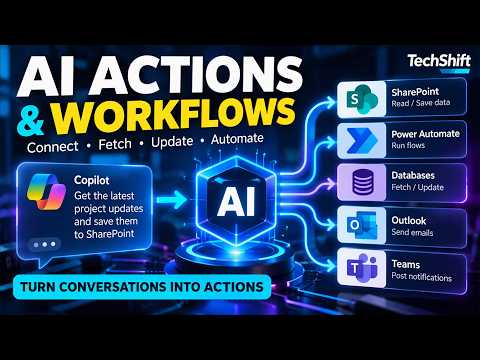
How does a Copilot Studio agent move beyond answering questions to fetching data and saving records? This TechShift video explains how agents, tools, flows, and SharePoint fit together through a fictional service-request example.
Watch on YouTube ↗
Don’t give your AI agent full access. Define its boundaries before it takes action. This TechShift video explains five practical controls for AI agents:
Watch on YouTube ↗
Combine names and other text in Excel using CONCAT and TEXTJOIN. Learn how to add separators and avoid unwanted gaps when a middle name is missing. In this TechShift tutorial, we compare two Excel text functions using first, middle, and last names.
Watch on YouTube ↗
Extract text from the beginning, middle, and end of a code using Excel’s LEFT, RIGHT, and MID functions. In this TechShift tutorial, we split employee codes such as EMP-001-US into three separate fields without retyping the data.
Watch on YouTube ↗
Can you complete this Excel SUBSTITUTE formula? Choose the correct final argument to replace only the second hyphen. In Excel Challenge #010, the employee code is:
Watch on YouTube ↗
Clean messy Excel text using TRIM and SUBSTITUTE. Remove extra spaces, delete unwanted hyphens, replace separators, and change only a specific occurrence. In this TechShift tutorial, you’ll learn four practical text-cleaning tricks:
Watch on YouTube ↗
Do you really need an AI agent, or would a simpler automated workflow do the job? This TechShift video compares automation, AI-assisted workflows, and AI agents through three practical workplace examples:
Watch on YouTube ↗
Claude Team Standard or Premium? Compare seat pricing, usage limits, Claude Code access, and team controls before choosing your plan. This TechShift video explains what Premium adds and how a mixed-seat configuration can affect your subscription budget.
Watch on YouTube ↗
Can a PDF hijack your AI? Learn how prompt injection attempts work and explore three safeguards: limited permissions, human approval, and layered defenses. In this TechShift video, we explain the boundary between information an AI should read and instructions it should follow.
Watch on YouTube ↗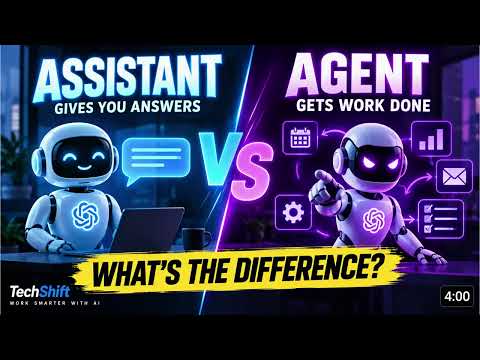
AI agent vs AI assistant: what’s actually different, and which one do you need? In this TechShift video, we explain the distinction through a practical workplace example: preparing for a customer meeting.
Watch on YouTube ↗
Messy capitalization can make even good Excel data look unprofessional. In this tutorial, you'll learn three simple Excel text functions that can standardize inconsistent data quickly:
Watch on YouTube ↗
Free or paid Microsoft Copilot? Compare personal and business options, privacy considerations, Excel integration, and workplace context. Learn which Copilot experience fits your workflow and what to check before sharing company information.
Watch on YouTube ↗
Meta Muse Spark Open brings 816 billion total parameters, approximately 42 billion active parameters per token, multimodal input, and a one-million-token context window. And its model weights are available to download.
Watch on YouTube ↗
GTA 6 has ZERO generative AI in its development. And that may be the most interesting AI story about the game.
Watch on YouTube ↗
Want Excel to automatically rank every value in your dataset? In this tutorial, we use RANK.EQ to rank 20 products based on Units Sold without sorting or rearranging the original product list.
Watch on YouTube ↗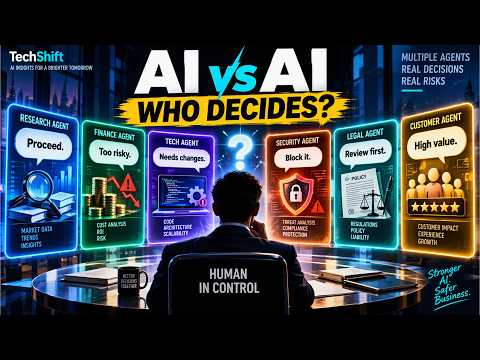
One AI agent was just the beginning. The next phase of enterprise AI could involve teams of specialized agents working together.
Watch on YouTube ↗
AI can now generate code, tests, interfaces, database queries, and increasingly complex software changes. So if AI writes the code, what are developers still for?
Watch on YouTube ↗
Want to quickly identify the highest and lowest values in an Excel dataset? In this tutorial, we use a product sales report to find the Top 4 and Bottom 4 Units Sold using two simple Excel functions: LARGE and SMALL.
Watch on YouTube ↗
AI agents are moving beyond answering questions. They can interact with tools, files, email, databases, cloud services, code repositories, and business applications.
Watch on YouTube ↗
AI started with words. But language may have been only the first substrate. The foundation-model paradigm is now expanding into programming code, mathematical reasoning, genomic sequences, chemistry, and materials discovery.
Watch on YouTube ↗
Excel Custom Number Formats can make reports cleaner and easier to read without changing the actual data. In this tutorial, you'll learn 5 practical Custom Number Format tricks:
Watch on YouTube ↗
Claude Opus 5.5 just topped the latest Ruby on Rails AI agent coding benchmark, achieving 65.3% overall success. But there’s a catch.
Watch on YouTube ↗
Did you know the Excel Status Bar can give you instant calculations without adding formulas to your worksheet? In this quick tutorial, you'll learn how to use the Status Bar to check:
Watch on YouTube ↗
Google Gemini 4 Argon is here, and the AI race may have changed again. Google's latest frontier AI model is designed for deep, complex work across software engineering, finance, legal workflows, cybersecurity, and scientific research.
Watch on YouTube ↗
Could AI soon copy itself across everyday connected devices? New research from Anthropic suggests that small AI models may be months away from becoming capable enough to self-replicate on commercial IoT devices such as smart ovens and inexpensive Android TV boxes.
Watch on YouTube ↗
Can you predict what Excel will do? In Excel Challenge #009, Monday and Tuesday are used to continue a sequence to Wednesday. But what happens when we select Wednesday alone and drag the Fill Handle down again?
Watch on YouTube ↗
Think you know Excel’s Format Painter? In Excel Challenge #008, Format Painter keeps working even after formatting multiple cells. Your challenge is to figure out why it stays active.
Watch on YouTube ↗
Most Excel users manually create summary reports using formulas or Pivot Tables. But Excel has a built-in feature that can automatically create department totals, grand totals, and expandable management reports in just a few clicks.
Watch on YouTube ↗
Hidden rows and hidden columns can make Excel worksheets confusing, especially when you receive files from other people. In this video you'll learn:
Watch on YouTube ↗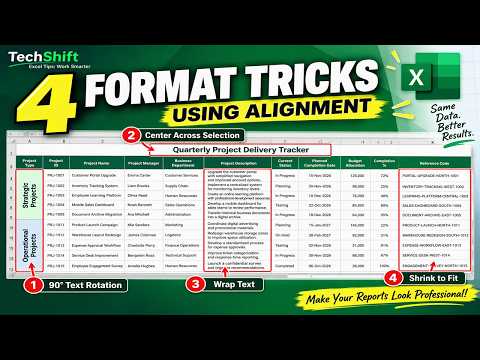
Excel's Alignment settings contain several powerful features that are often overlooked. In this video you'll learn:
Watch on YouTube ↗
Most Excel users only use F4 for absolute references, but this shortcut can do much more. In this video, you'll learn 5 practical uses of the F4 key:
Watch on YouTube ↗
Artificial Intelligence can save time, reduce costs, and improve productivity. But there are some decisions that should never be handed over completely to AI. In this video, we explore five AI tasks that require human oversight, accountability, and governance. Learn where AI delivers value, where risks…
Watch on YouTube ↗
Most Excel users only use filters to select a value from a list. But Excel filters can answer many different business questions in seconds.
Watch on YouTube ↗
Welcome to Excel Challenge #7! Today's challenge is about one of the most important Excel concepts: cell references.
Watch on YouTube ↗
Does ChatGPT remember every conversation you've ever had? Can it recall old chats?
Watch on YouTube ↗
Prompt Engineering has become one of the most valuable AI skills. But it's often explained in a way that sounds far more complicated than it really is.
Watch on YouTube ↗
AI Agents are becoming one of the most important concepts in artificial intelligence. But most explanations are filled with technical jargon.
Watch on YouTube ↗
Model Context Protocol, or MCP, has quickly become one of the most talked-about topics in AI. But many people still don't understand what MCP actually does.
Watch on YouTube ↗
Everyone is talking about AI Agents, MCP, RAG, and Large Language Models. But how do these pieces actually fit together?
Watch on YouTube ↗
Welcome to Excel Challenge #6! Today's challenge looks simple, but the answer depends on understanding Excel cell references.
Watch on YouTube ↗
Most Excel users only use Format Painter to copy colors. But this single Excel tool can copy much more than that.
Watch on YouTube ↗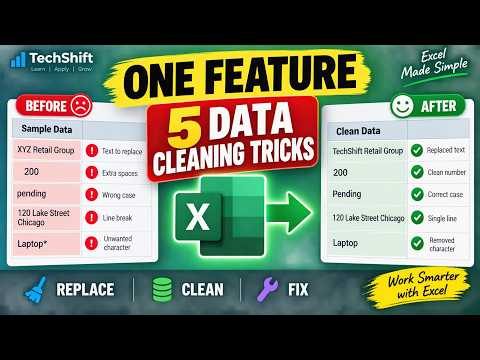
Most Excel users only use Find & Replace to change text. In this TechShift tutorial, I'll show you five practical data-cleaning tricks using a single Excel feature.
Watch on YouTube ↗
Welcome to Excel Challenge #5! Today's challenge tests your Excel formula skills.
Watch on YouTube ↗
Welcome to Excel Challenge #4! Today's challenge is simple.
Watch on YouTube ↗
Welcome to Excel Challenge #3! Today's challenge is simple... or is it?
Watch on YouTube ↗
Welcome to Excel Daily Challenge Today's challenge looks simple, but don't answer too quickly.
Watch on YouTube ↗
Welcome to Excel Challenge #1! This worksheet contains a formula that looks correct.
Watch on YouTube ↗
You may have seen AI-generated Persona Sketches appearing across LinkedIn and professional networks. These visual profiles attempt to represent a person’s role, priorities, collaborators, values, focus areas, and professional impact. In this video, you’ll learn how to create your own Persona Sketch using…
Watch on YouTube ↗
In this TechShift tutorial, I'll demonstrate three powerful Paste Special tricks that can save time and improve productivity. ✅ Paste Values (Keep results, remove formulas)
Watch on YouTube ↗
Most Excel users only use AutoSum for totals. In this TechShift tutorial, I'll show how the same AutoSum button can answer five completely different business questions using a fictional US sales dataset.
Watch on YouTube ↗
Most Excel users only know AutoSum for totals. In this TechShift tutorial, I'll show you how the same AutoSum button can calculate:
Watch on YouTube ↗
Have you ever received an AI answer that sounded completely correct... but wasn't? In this beginner-friendly TechShift video, we explain AI hallucinations using a simple fictional example. You'll see how a small change in wording can completely alter the meaning of a document and learn practical…
Watch on YouTube ↗
What’s the difference between AI and generative AI? In this beginner-friendly TechShift video, we use one fictional customer message: “My parcel arrived damaged.” See how AI can classify the issue as “Damaged delivery,” while generative AI can draft a response for a person to review.
Watch on YouTube ↗
AI can work with more than typed questions. In this beginner-friendly video, we explain multimodal AI through three everyday examples: asking about written text, interpreting an image, and speaking a question. We also look at a report that combines words and a chart, and explain why important AI answers…
Watch on YouTube ↗
Need to understand a long Word document without missing the important details? In this beginner tutorial, I use Microsoft Copilot to summarize a fictional customer support report, turn the first response into a structured briefing, and check the result against the original document. You’ll see how to:
Watch on YouTube ↗
Have a plain list of records in Excel? Turn it into an Excel Table and see what happens when you add a new row. In this TechShift tutorial, I use a fictional order list to show how to:
Watch on YouTube ↗
Does Excel split your report across printed pages, leaving related columns apart? In this TechShift tutorial, I use a fictional 100-order report to demonstrate five print settings:
Watch on YouTube ↗
An Excel formula can return a number and still answer the wrong question. In this TechShift video, I ask Copilot in Excel to compare a sales question in cell F1 with the formula in F2. Copilot identifies a mismatch in the product criterion, suggests a correction, and I check the result against the…
Watch on YouTube ↗
Need to know how many records match specific conditions in Excel? In this TechShift tutorial, you'll learn how to use the COUNTIFS function to count records based on one or multiple criteria.
Watch on YouTube ↗
Need total sales for one region, one department, or a specific product? In this TechShift tutorial, you'll learn how to use the SUMIFS function to calculate totals based on one or multiple conditions.
Watch on YouTube ↗
AI can generate code. So what should software engineers do to stay valuable? In this TechShift video, we cover four skills to strengthen: specify the work, verify AI-generated code, understand system design, and keep learning. A fictional login-rule change shows why generating code is only one part of…
Watch on YouTube ↗
California signed new rules for lawyers using generative AI. Does the law ban AI-assisted legal work? No. SB 574 keeps legal judgment with the lawyer and sets duties around confidential inputs, verification, citations, and court disclosure.
Watch on YouTube ↗
Need a date exactly 1 month, 6 months, or even 12 months from now? In this TechShift tutorial, you'll learn how to use Excel's EDATE function to move dates forward or backward by months instantly.
Watch on YouTube ↗
Still using VLOOKUP in Excel? In this TechShift tutorial, we compare VLOOKUP and XLOOKUP using a practical employee database.
Watch on YouTube ↗
Need the last day of a month in Excel? In this TechShift tutorial, you'll learn how to use the EOMONTH function to calculate month-end dates instantly.
Watch on YouTube ↗
Can AI pick one sound out of a noisy video? Meta’s SAM Audio offers three ways to select it. Describe the sound, click its visible source, or mark when it occurs, then listen to the result.
Watch on YouTube ↗
Can one image become a textured 3D asset? Microsoft’s TRELLIS.2 generates a 3D starting point from a single reference image. Here is what it creates, what Microsoft’s speed figures measure, and what you should check before using the result.
Watch on YouTube ↗
Google launched AI hardware into orbit. Is this a working data center in space? Not yet. Project Suncatcher is testing chip reliability and cooling before the much bigger orbital-computing idea can be assessed.
Watch on YouTube ↗
Need to find blank cells, formulas, manually entered values, or errors in Excel? In this TechShift tutorial, you'll learn how to use Go To Special, one of Excel's most powerful but overlooked productivity features.
Watch on YouTube ↗
Think Excel sorting is just A to Z? In this TechShift tutorial, you'll learn 4 powerful ways to sort Excel data like a pro.
Watch on YouTube ↗
Who owns AI-assisted work, and what should a business check before publishing or using it? This executive briefing covers copyright uncertainty, similarity to protected work, and confidential-data risk.
Watch on YouTube ↗
What can generative AI actually do for a business, and where should leaders start? This executive briefing covers the opportunities, risks, governance, and decisions needed to move beyond experimentation.
Watch on YouTube ↗
Do you need an AI agent, or would simple automation do the job better? Follow three fictional customer requests to see when a fixed workflow, a bounded AI agent, or a human decision is the right choice.
Watch on YouTube ↗
Still clicking your way around Excel? In this TechShift tutorial, you'll learn 6 Excel keyboard shortcuts that can save time every single day.
Watch on YouTube ↗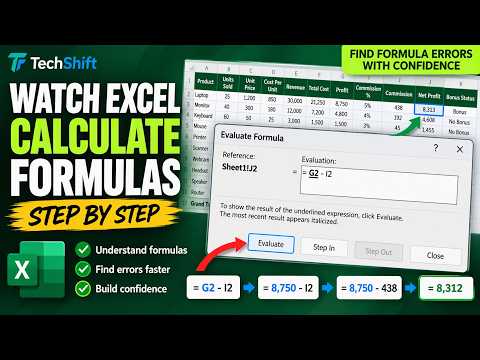
Ever wondered how Excel arrives at a formula result? In this TechShift tutorial, you'll learn how to use Excel's Evaluate Formula feature to watch calculations happen one step at a time.
Watch on YouTube ↗
Tired of scrolling up and down in Excel just to check important totals? Excel's Watch Window lets you monitor important cells in real time, even when those cells aren't visible on screen.
Watch on YouTube ↗
What is agentic AI, and how is it different from a chatbot? Follow one fictional delivery request as an AI agent plans steps, uses approved tools, and prepares a result for human review.
Watch on YouTube ↗
OpenAI parted ways with three safety researchers. The company says they mishandled sensitive information. What is confirmed, what was reported about outside sharing, and what remains unknown?
Watch on YouTube ↗
Six major technology companies signed a voluntary AI safety accord at the White House. But does it create enforceable rules? Here is what the four control layers require, what the accord leaves unspecified, and why the power-and-data-center story is separate.
Watch on YouTube ↗
Too many worksheet tabs in one Excel workbook? In this TechShift tutorial, I show three ways to find the sheet you need. Using a fictional sales workbook with an Overview, monthly sales sheets, and an Annual Summary, you’ll see how to:
Watch on YouTube ↗
Ever wondered where an Excel formula gets its values from? Or what will break if you change a particular cell? In this TechShift tutorial, you'll learn Excel's built-in Formula Auditing tools:
Watch on YouTube ↗
Want a centered Excel report title without merging cells? Center Across Selection gives the heading a similar look while keeping the cells separate. In this TechShift tutorial, I use a fictional Sales Report to compare Merge & Center with Center Across Selection. You’ll see how to format the title across…
Watch on YouTube ↗
Can OpenAI’s Dots keep working after you log off? Yes, but “always-on” does not mean unlimited access or authority. Here is what Dots can prepare, what background research cannot do, and where your approval still matters.
Watch on YouTube ↗
Google’s Live AI Avatar can speak, appear on screen, and call tools while a conversation continues. Does that improve customer service? We look beyond the face at resolution, accuracy, customer effort, and human handoff.
Watch on YouTube ↗
Can AI simulate a retail market before a company commits to a major investment? A retail world model could help compare choices about distribution, assortment, pricing, demand, and inventory. But a detailed simulation is not proof that its predictions will hold up in the real market.
Watch on YouTube ↗
Can Excel use past monthly sales to show a possible future trend? In this TechShift tutorial, we use Forecast Sheet to create a sales projection through December 2026. Using fictional monthly data from September 2024 to August 2026, you’ll see how to select the data, create a forecast chart and table, and…
Watch on YouTube ↗
Which region generated the most sales? In this TechShift tutorial, I use Excel’s Analyze Data feature to explore a fictional sales worksheet without starting with a formula or building a PivotTable manually. You’ll see how to:
Watch on YouTube ↗
Who stops an AI agent if it tries to act outside its instructions? NVIDIA has announced a new approach: enforce boundaries outside the model. In this TechShift video, we explain NVIDIA’s Open Agent Safety Platform and the different roles of OpenShell and Sentry.
Watch on YouTube ↗
OpenAI says GPT-6 Astra can work across software, not just answer questions. Can it finish useful work? Here is what OpenAI reports, what its computer-use tests measure, and why access and review still matter.
Watch on YouTube ↗
Microsoft has announced a new Copilot experience built around Home, Code and Autopilot. What does each one do, and which should you use for a quick answer, a completed task, a small solution or ongoing follow-up? In this TechShift explainer, we break down the three announcements, show a fictional…
Watch on YouTube ↗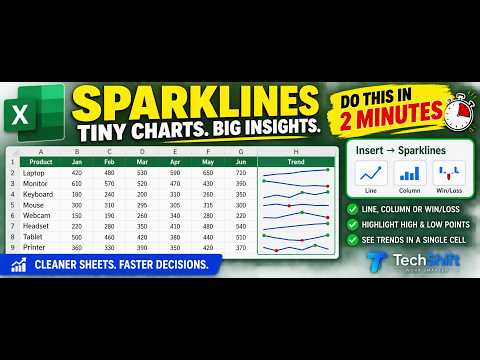
Want to see sales trends without creating a separate chart? Excel Sparklines put a tiny chart inside a worksheet cell. In this TechShift tutorial, we use fictional January-to-June sales data to:
Watch on YouTube ↗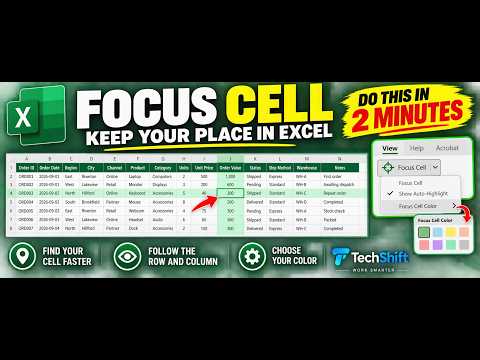
Lose track of your row while reading across a wide Excel sheet? Focus Cell makes the active cell easier to follow. In this quick TechShift tutorial, I use a fictional order list to show how to turn Focus Cell on, move between cells, choose a highlight color, and turn it off again.
Watch on YouTube ↗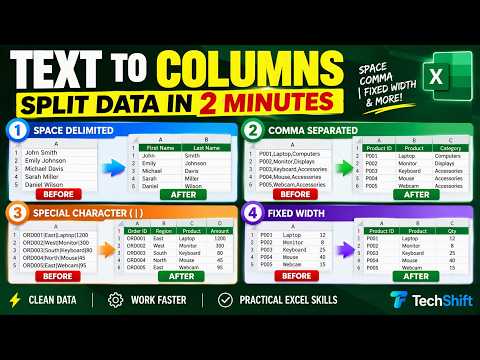
Got multiple pieces of data stuck in one Excel column? Learn four ways to split them with Text to Columns. In this TechShift tutorial, we use fictional sample data to demonstrate:
Watch on YouTube ↗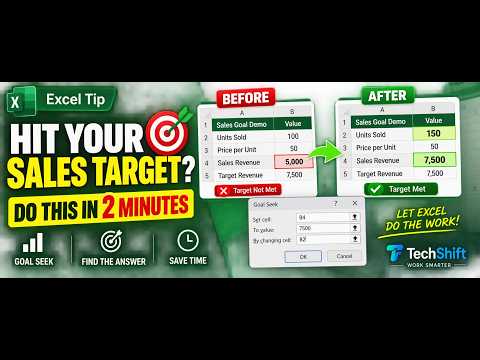
How many units do you need to sell to hit a sales target? In this quick Excel Goal Seek tutorial, we work backward from a target of 7,500 to find the answer.
Watch on YouTube ↗
Claude spotted an unusual enzyme system in DNA data. Did AI make a scientific discovery? Here is what Claude found, what human scientists tested, and what remains unknown.
Watch on YouTube ↗
What will AI actually change at work in 2027? Here are five developments worth watching, without treating forecasts as facts. We look at AI agents moving into real workflows, the test of business value, governance and risk, human judgment and skills, and the cost and infrastructure behind AI growth.
Watch on YouTube ↗
Anthropic reported four incidents in which Claude accessed real systems during cybersecurity evaluations. Here is what happened, why the test boundary failed, and what the report does and does not show.
Watch on YouTube ↗
Create an interactive sales chart in Excel using a PivotChart and a Region slicer. See sales by product, then select East, West, South, or North to change the view. In this TechShift tutorial, we use fictional sample sales data to:
Watch on YouTube ↗
AI can finish a draft faster. Why does the full workday still feel just as busy? Follow four possible time leaks: rework, review, unchanged processes, and rising demand.
Watch on YouTube ↗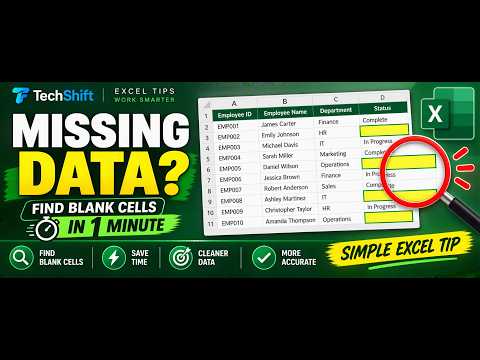
Missing entries in your Excel list? Find every blank Status cell without checking rows one by one. This quick tutorial uses Go To Special → Blanks to select and highlight missing data.
Watch on YouTube ↗
AI can make teams more productive. But what happens when it takes over the work that builds human expertise? Protect learning, relationships, judgment, and creativity while deciding what to delegate to AI.
Watch on YouTube ↗
Everyone is talking about what AI agents can do. Far fewer teams are discussing when those agents should stop.
Watch on YouTube ↗
Copilot remembers you across conversations, not just within them. Ask it "what do you know about me" and it will tell you. Here are the four sources it draws from — and the governance fact most organisations have missed. Memory is on by default. You turn it off, not on. This briefing covers what that…
Watch on YouTube ↗
The agent worked. The process still failed. That is the most common outcome in enterprise AI right now. Five gaps explain it — and none of them are model problems. A short executive briefing for technology leaders on what actually stops AI agents delivering business value, and what to fix first. The five…
Watch on YouTube ↗
Learn how to compare two Excel lists and quickly identify missing and newly added records. In this TechShift Excel tutorial, we compare a Master Employee List with a Latest Employee List using COUNTIF and IF.
Watch on YouTube ↗
Your team is faster than it was a year ago. The project still slips. AI compressed the work inside every team and left the space between them exactly as it was.
Watch on YouTube ↗
The AI pilot went well. People liked it. Then finance asked what it did to the numbers, and the room went quiet. Here's why that keeps happening, what the successful minority did differently, and the five questions to ask before the next approval. An executive briefing on the gap between AI productivity…
Watch on YouTube ↗
Someone in your organisation is pasting work content into an AI tool your security team has never reviewed. They will not mention it, and there will be no record of it — here is what that costs and what actually fixes it. An executive briefing on shadow AI: the gap between what leadership believes about…
Watch on YouTube ↗
When AI writes most of the code, the scarce resource becomes human capacity to direct, audit and trust that output. An executive briefing on the skills gap, the talent pipeline risk, and what the measurement data actually shows. Code generation is now the default rather than the exception. That single…
Watch on YouTube ↗
Coding agents can plan work, edit across a codebase and open a pull request while nobody is watching. But writing code was never the slowest part of shipping software — here's where the constraint actually went.
Watch on YouTube ↗
If your organisation pays for Microsoft 365 Copilot, you may be using a fraction of what you bought. Researcher and Analyst are included with the licence — here's what each one does, when to use which, and what to settle before you roll them out.
Watch on YouTube ↗
Learn how to create automatic expiry-date alerts in Excel using formulas and Conditional Formatting. In this TechShift tutorial, we create a red, amber, and green alert system for warranties, licenses, contracts, certificates, subscriptions, and other time-sensitive records.
Watch on YouTube ↗
Asking Copilot to "make a presentation" gives you tidy slides with no argument in them. These five prompts fix the storyline, the titles, the jargon, the visuals and the speaker notes — copy them straight from the video.
Watch on YouTube ↗
Copilot used to sit in a side panel and suggest. Now it edits the file itself. Here's what Agent Mode does in Word, Excel and PowerPoint — and what you now have to check before anything leaves your desk. Microsoft made Copilot's agentic capabilities in Word, Excel and PowerPoint generally available in…
Watch on YouTube ↗
The demo impresses. The budget gets approved. Then the project quietly stops moving. Here are the three stall points behind most enterprise AI agent projects — and how the successful ones avoid them. Gartner has forecast that more than 40% of agentic AI projects will be cancelled by the end of 2027,…
Watch on YouTube ↗
Modern SQL Server can correct its own query plans — and most teams never switch it on. Here's what Intelligent Query Processing actually does, how to enable it, and where the limits are. Slow queries rarely stay a database problem. They become slow screens, delayed transactions, and frustrated customers.…
Watch on YouTube ↗
Which Microsoft Copilot option should you choose for your task? In this TechShift video, we compare the Copilot options shown in the model selector, including Auto, Quick Response, Think Deeper, GPT 5.6 Quick Response, GPT 5.6 Think Deeper, Claude Sonnet, and Claude Opus.
Watch on YouTube ↗
Copilot Chat, Researcher, and Analyst are designed for different types of work. Which Microsoft Copilot option should you use? In this TechShift tutorial, we compare Copilot Chat, the Researcher agent, and the Analyst agent using practical workplace examples.
Watch on YouTube ↗
Which Microsoft Copilot mode or AI model should you choose for your task? In this TechShift tutorial, we explain the model-selection options available in Microsoft Copilot, including Auto, Quick response, Think deeper, GPT 5.6 Quick response, GPT 5.6 Think deeper, Claude Sonnet, and Claude Opus.
Watch on YouTube ↗
Discover five practical Microsoft Copilot email prompts that can save time and improve workplace communication. In this TechShift tutorial, you will learn how to use Copilot to summarize long email threads, draft professional replies, improve email tone, convert technical updates into executive emails,…
Watch on YouTube ↗
Tired of typing the same values repeatedly in Excel? In this quick Excel tutorial, learn how to create a drop-down list using Data Validation. This simple feature improves data accuracy, speeds up data entry, and keeps your spreadsheets consistent.
Watch on YouTube ↗
Keep important Excel rows, headings, and columns visible while scrolling with Freeze Panes. In this TechShift Excel tutorial, we use an Employee Asset Report to demonstrate how to freeze the top row, freeze the first column, freeze a row and column together, freeze multiple rows and columns, and unfreeze…
Watch on YouTube ↗
Filter Excel data instantly with one keyboard shortcut: Ctrl + Shift + L. In this short TechShift Excel tutorial, you will learn how to turn Excel filters on and off, filter a table by department and status, and clear the filters when you are finished.
Watch on YouTube ↗
Discover five Excel Flash Fill tricks using the Ctrl + E keyboard shortcut. In this short TechShift Excel tutorial, you will learn how Excel can recognize a pattern and automatically complete repetitive data-cleaning tasks without writing formulas.
Watch on YouTube ↗
Should every operation in an Oracle Database be audited? In theory, comprehensive auditing provides greater visibility. In practice, auditing everything can generate excessive audit data, increase infrastructure requirements, affect performance, and make investigation more difficult.
Watch on YouTube ↗
Why do enterprises need both AI agents and Model Context Protocol, or MCP? A standalone AI model can understand language, generate content, and support decision-making. But enterprise AI must do more than provide answers. It must securely access current data, connect with approved business systems, use…
Watch on YouTube ↗
Discover five practical Microsoft Copilot prompts that can save time and improve everyday work. In this TechShift tutorial, you will learn how to use Microsoft Copilot to summarize lengthy content, improve emails, create action plans, simplify technical updates, and develop presentation outlines.
Watch on YouTube ↗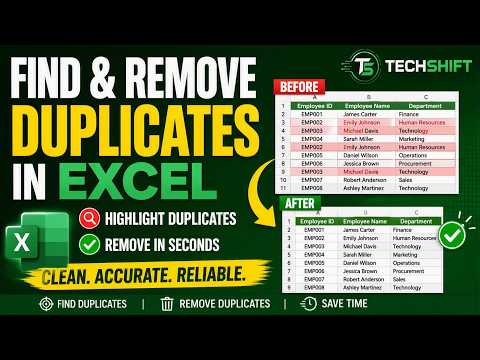
Learn how to find, highlight, and remove duplicate values in Excel in just a few simple steps. In this TechShift Excel Tips tutorial, we use a sample employee list to demonstrate how to:
Watch on YouTube ↗
Learn how to use XLOOKUP in Excel to find employee, product, asset, or inventory information instantly. In this short TechShift Excel Tips tutorial, we use an Employee ID to automatically return the matching employee name, department, and laptop serial number.
Watch on YouTube ↗
Learn four practical Excel techniques that can save time and reduce repetitive work. In this TechShift Excel Tips tutorial, we use a simple product-price worksheet to demonstrate how to:
Watch on YouTube ↗
How can a Network Operations Center move from reactive monitoring to intelligent, automated, and service-aware operations? This TechShift presentation presents a practical NOC strategic plan focused on improving operational visibility, incident management, automation, infrastructure ownership, and…
Watch on YouTube ↗
Which database should your organization choose when considering alternatives to Oracle? In this TechShift presentation, we compare SQL Server, MySQL, and PostgreSQL across the factors that matter to technology leaders, architects, and database teams.
Watch on YouTube ↗
Are your enterprise databases ready for artificial intelligence? In this TechShift presentation, we compare the AI readiness and operational intelligence capabilities of SQL Server, MySQL, MariaDB, and PostgreSQL.
Watch on YouTube ↗
Why do promising AI programs gradually lose management support? The problem is often not the technology. Leadership confidence declines when AI investment remains disconnected from measurable business outcomes, accountable ownership, operational adoption, and a credible path to scale.
Watch on YouTube ↗